Search senior profiles
Filter by skills, location, designation and experience, or use one of your own postings as the search template.
What the recruiter workspace gives you.
Filter by skills, location, designation and experience, or use one of your own postings as the search template.
Every role names its country, work mode and the experience it asks for. A confidential posting shows “A Leading [Industry] Firm” in place of your name.
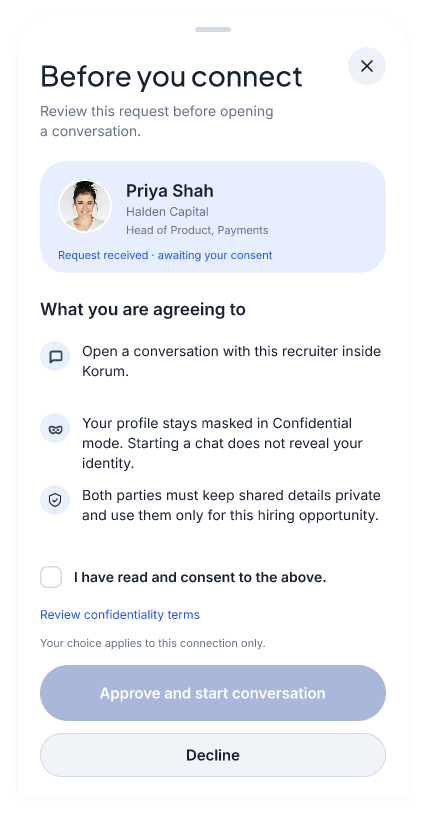
Request a conversation with a Confidential professional. It starts when they approve; their identity stays masked when they do.
An approved organisation can invite the members of its recruiting team to work from one account.
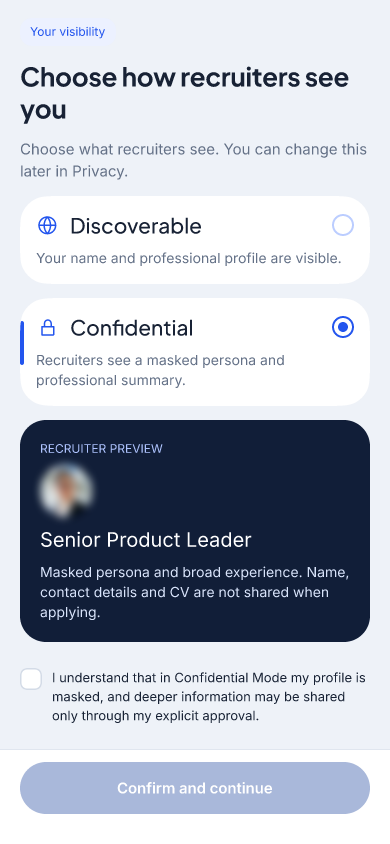
Professionals choose how you see them. Compare the two visibility options and their recruiter previews.
Confidential selected: a masked persona represents the professional.
Each professional chooses how they are discovered. Both are searchable.
Approving a conversation does not reveal a Confidential professional’s identity. Their current employer never sees their profile, in either mode.
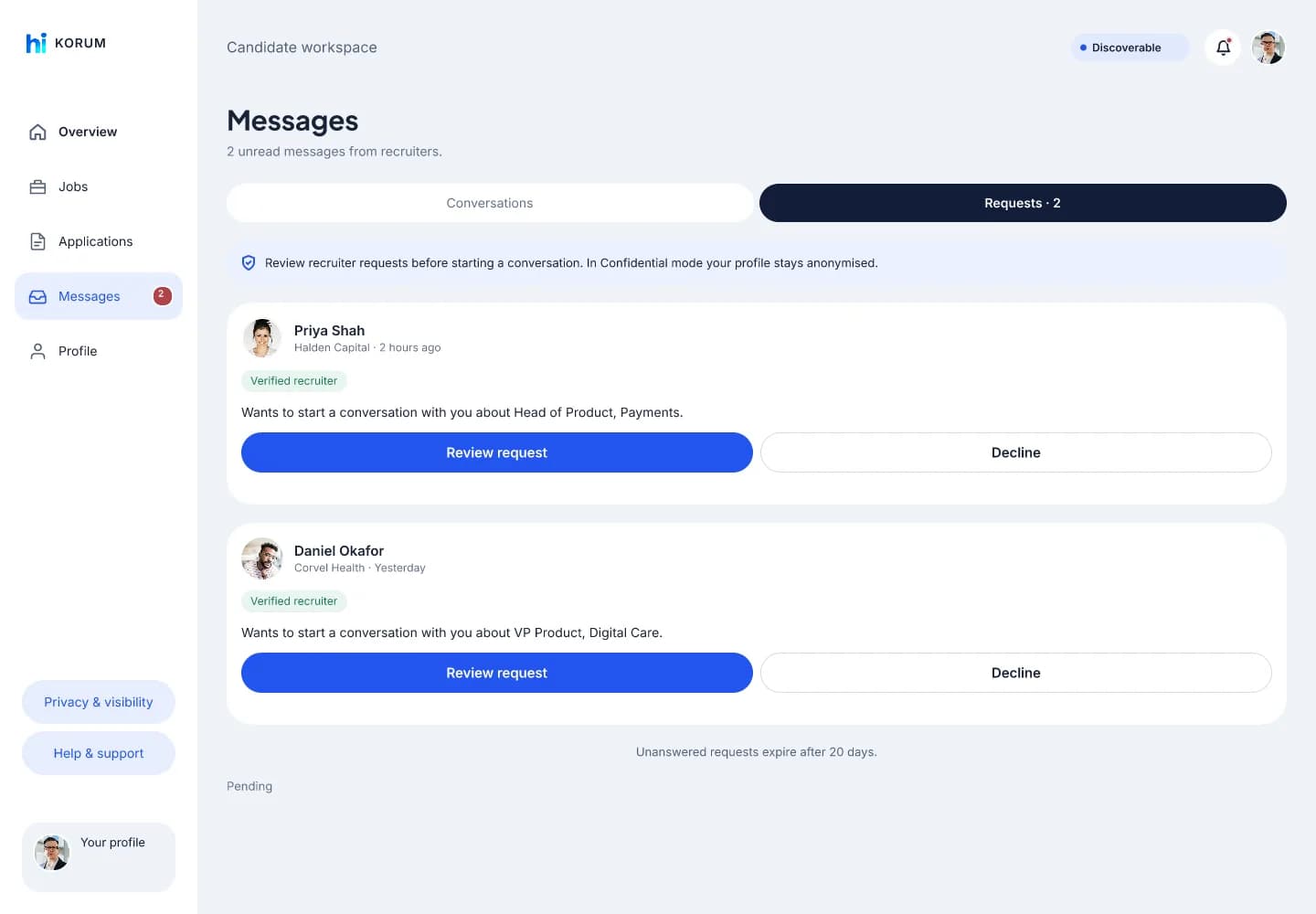
Your request waits in their Messages, under Requests, until they review it. The conversation is theirs to open.
Your request names you, your company and the role, and carries the verification your company passed.
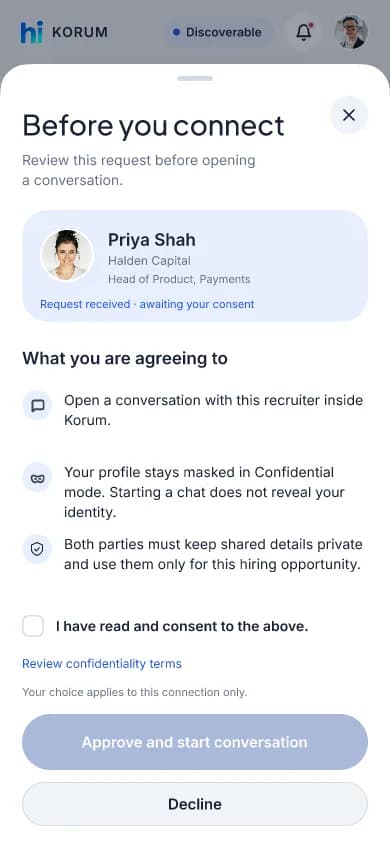
They read what a conversation opens and what stays masked, and consent to it. In Confidential mode, approving does not reveal who they are.
A conversation opens in Korum when they approve. A decline closes that request only.
Professionals should know who is asking. Company details are reviewed before access is approved.
Register with your work email and provide your company and contact details.
Supply supporting documents if available. The team may ask for more during review.
Once approved, discover professionals, post roles and manage your conversations on Korum.
Both. Agency recruiters and internal talent teams can request access through company registration and verification.
No. Confidential profiles show anonymised experience. Approval lets you begin a conversation; the profile remains anonymised.
A role names its country, work mode and the experience it asks for, and goes through a screening check before it is live. You can post it under your company’s name or confidentially, as “A Leading [Industry] Firm”.
Tell us who you are hiring for.
Work email required. Company verification before access.